Organize knowledge with precision.
Transform scattered notes into structured cheatsheets. Markdown, LaTeX, charts, and drag-and-drop layouts—no clutter, just clarity.

users
unique visitors
likes on X
Start building
Cloud sync
Auto-save protection
Backed up to buildsheet.one
Features to make you more productive.
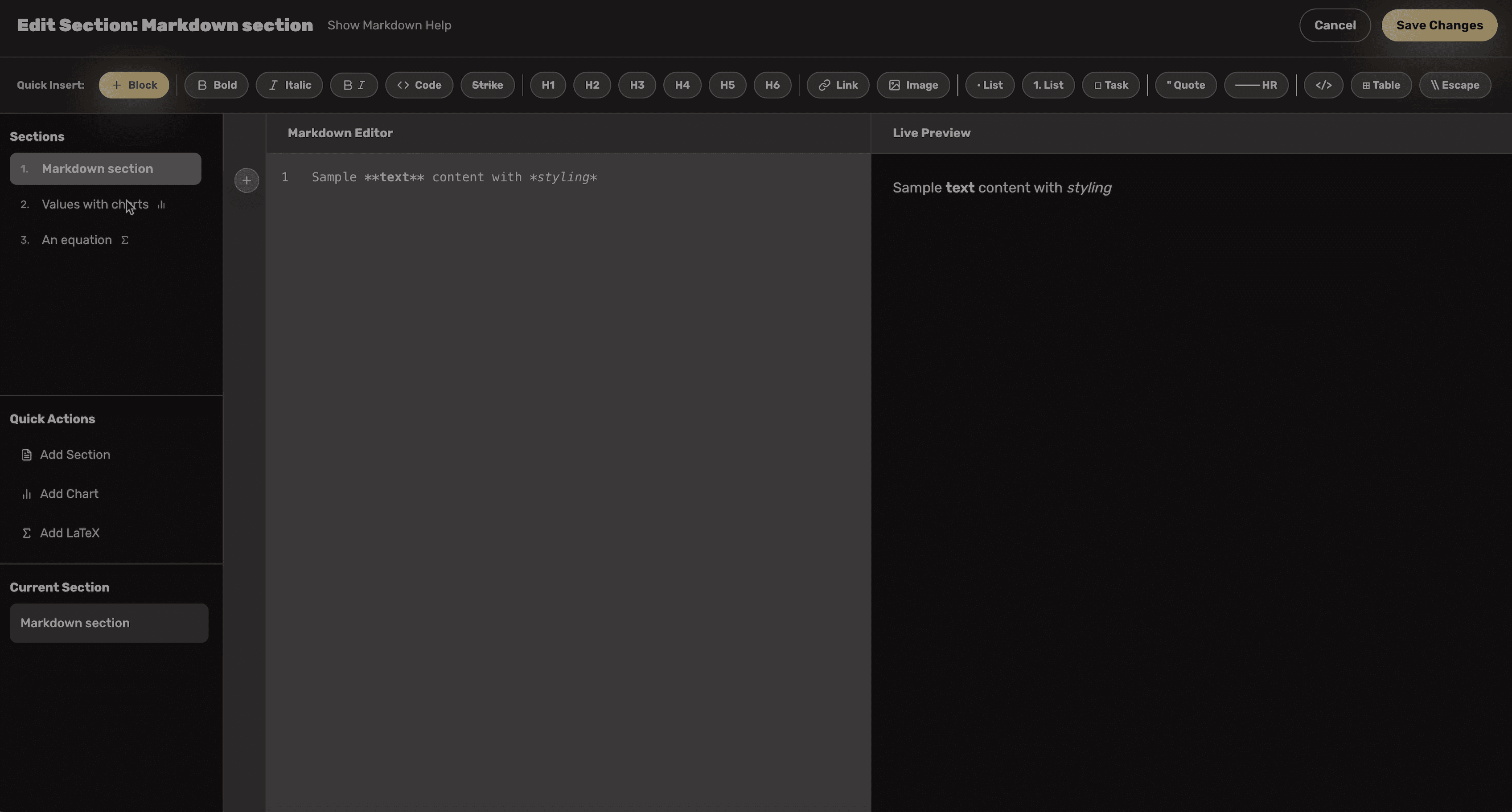
Instant Section Switching
Jump between sections with a single click. The navigation sidebar mirrors your layout, highlights the active block, and keeps you oriented in large sheets.
Use the keyboard or click in the navigator to open a section for editing. The builder scrolls to the right position, so you always see the context you are editing.
Great for long-form study guides where dozens of sections must be trimmed, reordered, or exported.
Feature demo
Section navigator
Scroll to load this preview
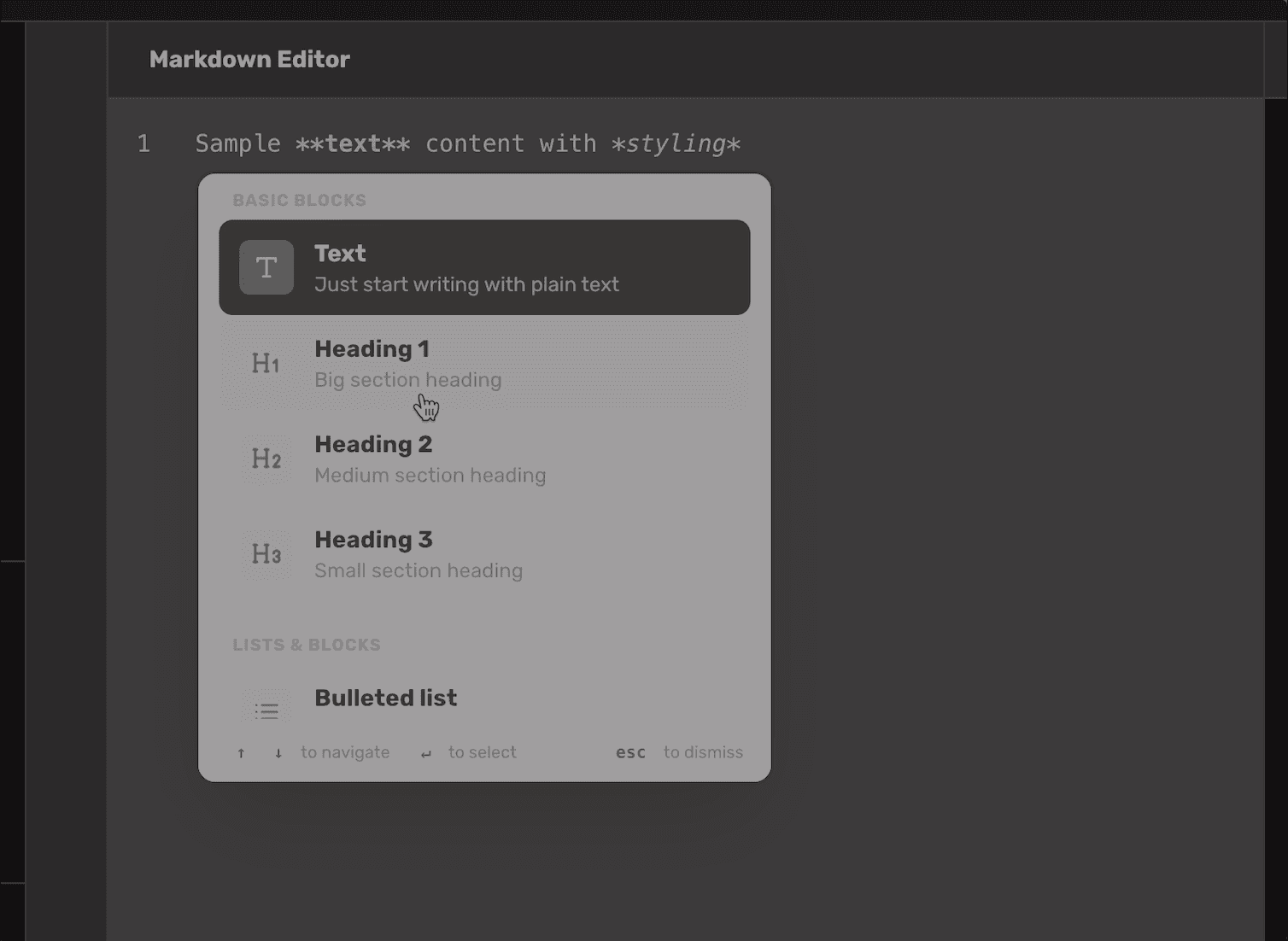
Notion-like Styling Blocks
Type "/" to insert callouts, warnings, highlight blocks, checklists, and more. The Markdown renderer supports all the visual affordances you expect from a modern notes app.
Toggle bullet points, numbered lists, quotes, code fences, inline code, tables, and custom callouts without touching HTML.
Every block respects the dark glass UI so your exports look premium even before you add content.
Feature demo
Styling palette
Scroll to load this preview
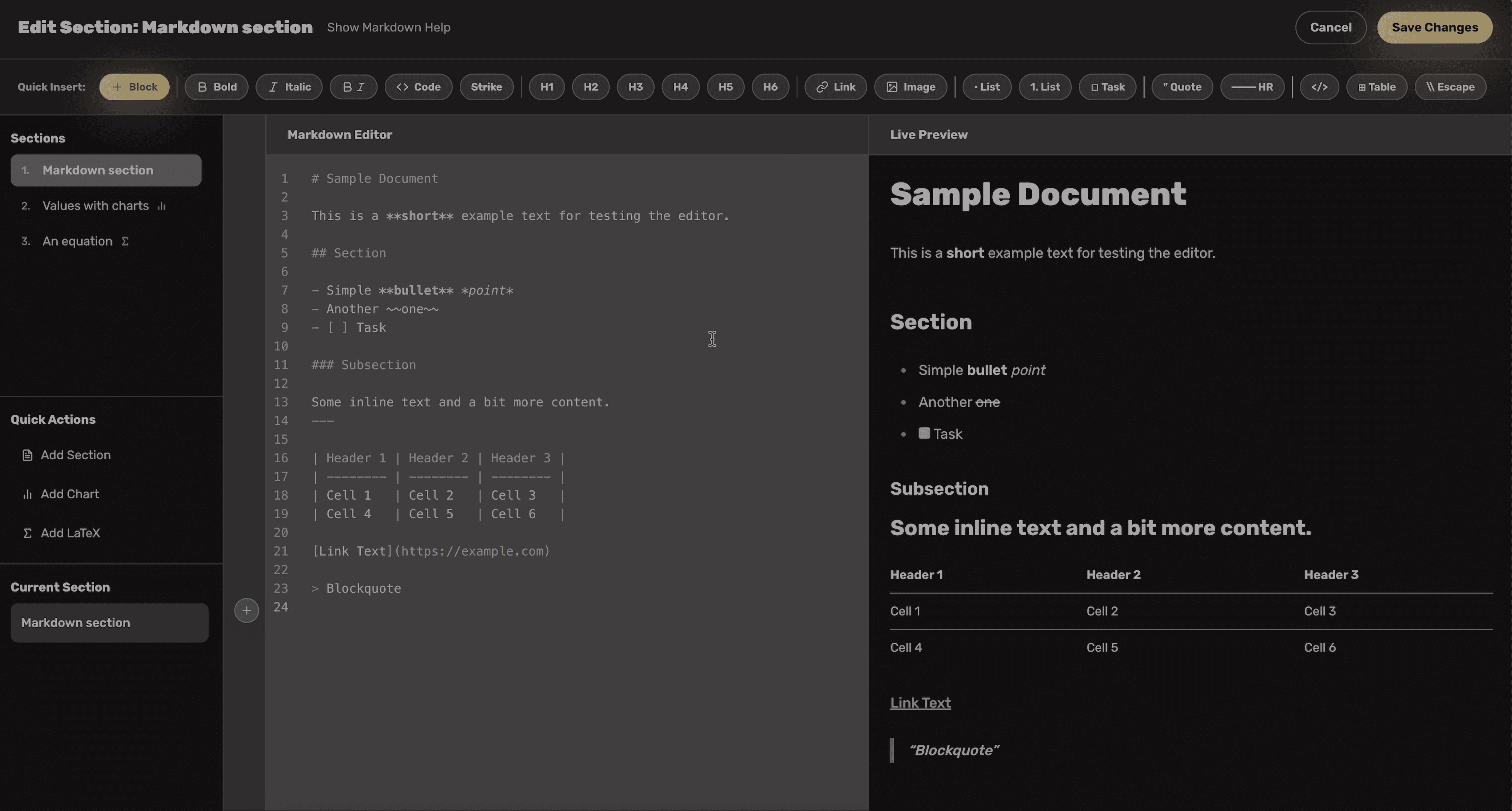
Deep-dive Markdown Editor
Split view editing shows live preview as you type. Slash commands, keyboard shortcuts, and a plus-gutter make composing structured notes effortless.
The editor includes bold/italic shortcuts, link helpers, list helpers, and a full reference panel so you never leave the builder to check syntax.
Every edit is mirrored in the preview pane using the same renderer the public page uses, so what you see is what you export.
Feature demo
Markdown editor demo
Scroll to load this preview
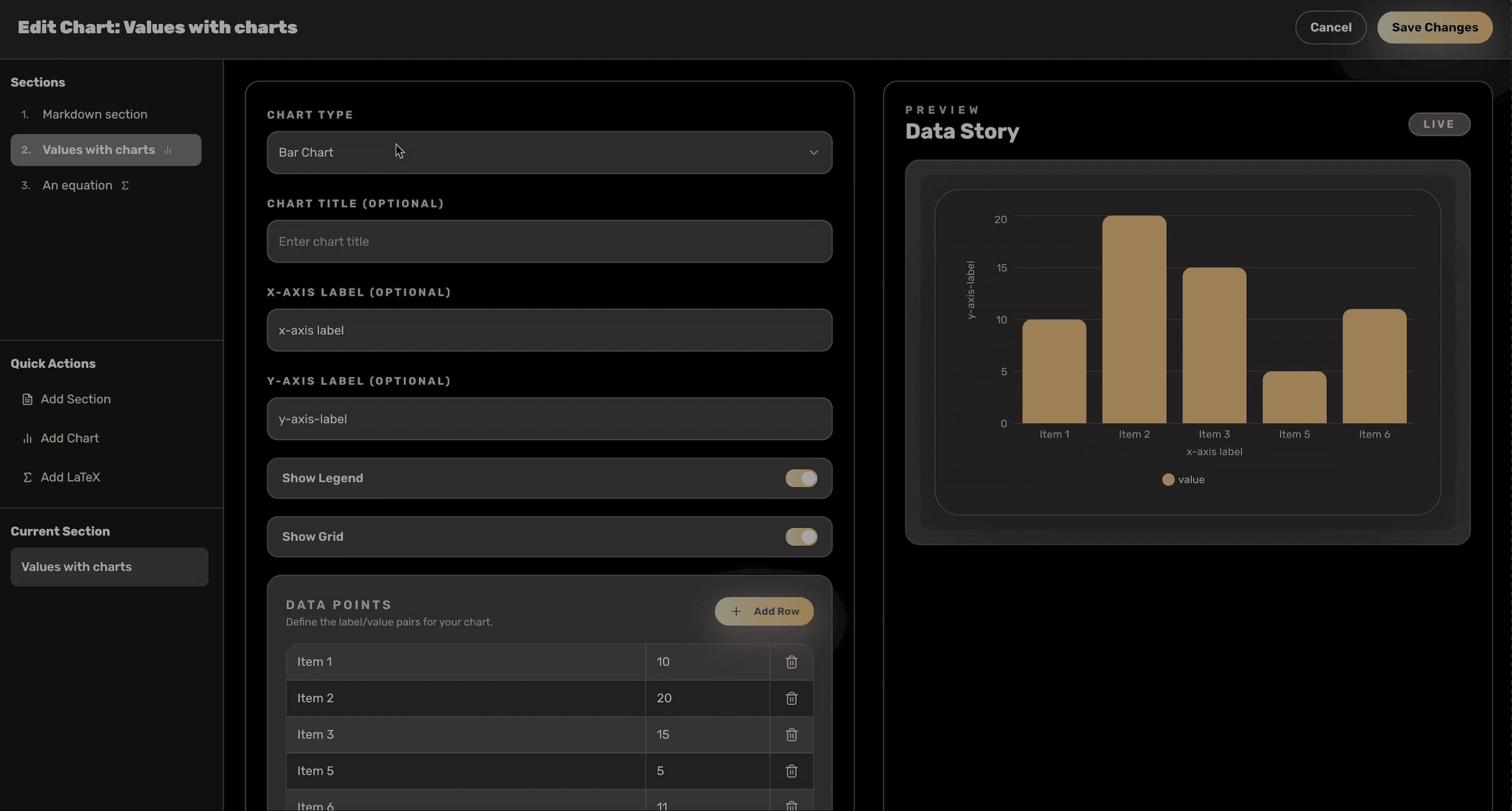
Charts Editor
Configure bar, line, pie, and area charts with instant previews. Adjust legends, gridlines, and colors without writing Recharts code by hand.
Export-ready charts keep the glass aesthetic in dark mode and switch to light mode automatically when generating PDFs.
Feature demo
Charts editor flow
Scroll to load this preview
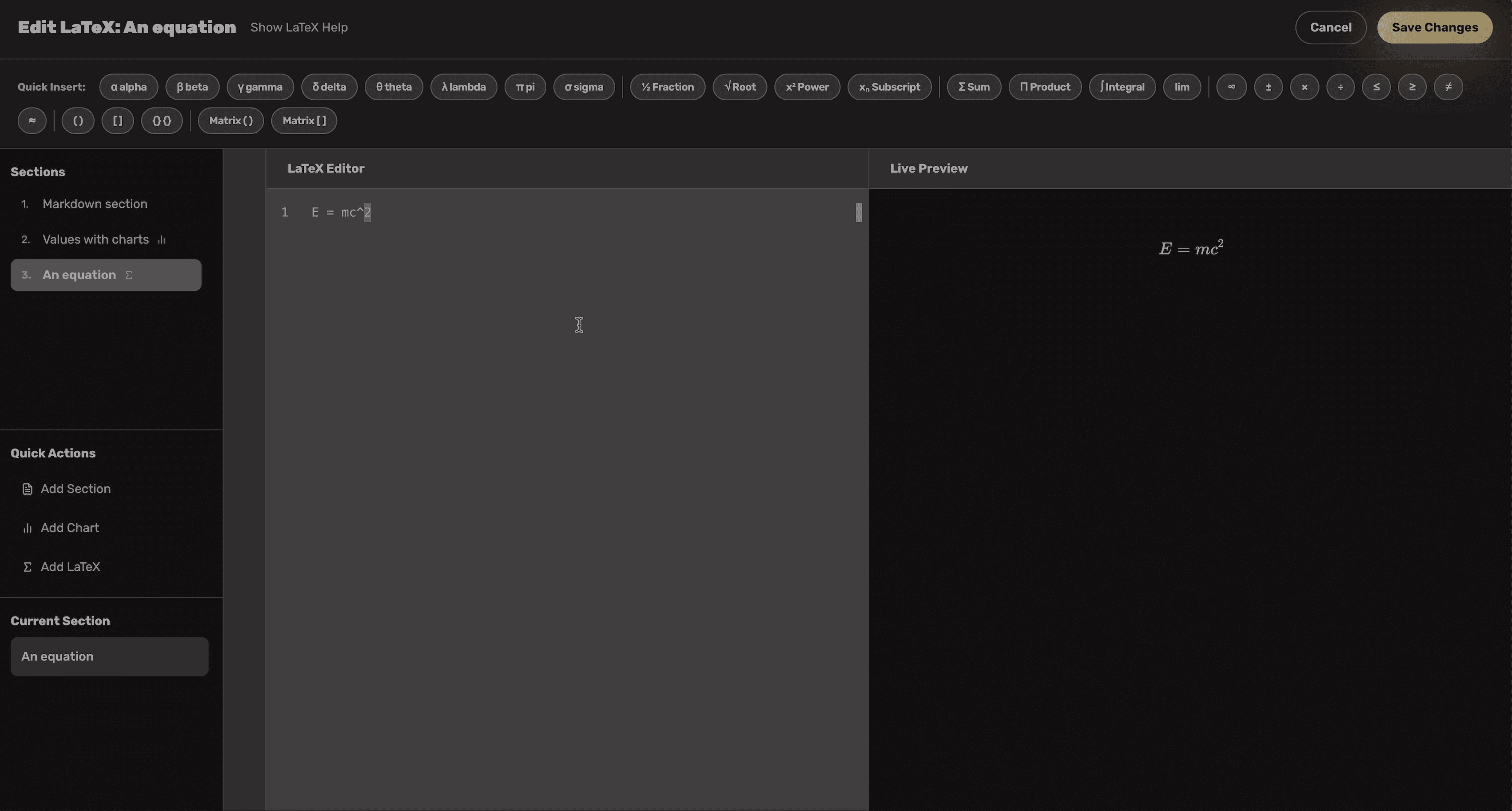
LaTeX (KaTeX) Workspace
Render beautiful equations with a live KaTeX preview. The toolbar includes quick inserts for Greek letters, fractions, integrals, and matrix helpers.
Toggle between inline and display math, copy rendered formulas, and trust that PDF exports keep high-contrast typesetting.
The help panel lists syntax tips, common formulas, and supported functions so you never leave the builder.
Feature demo
LaTeX editor walkthrough
Scroll to load this preview
Markdown Import Flow
Migrate content from Notion, Obsidian, or GitHub in two beautiful steps—no manual cleanup required.
Pick a source, preview the outline, and bring your existing notes into the builder without leaving dark mode.
Switch between "Simple" for quick imports or "Advanced" for granular control over headings and blocks.
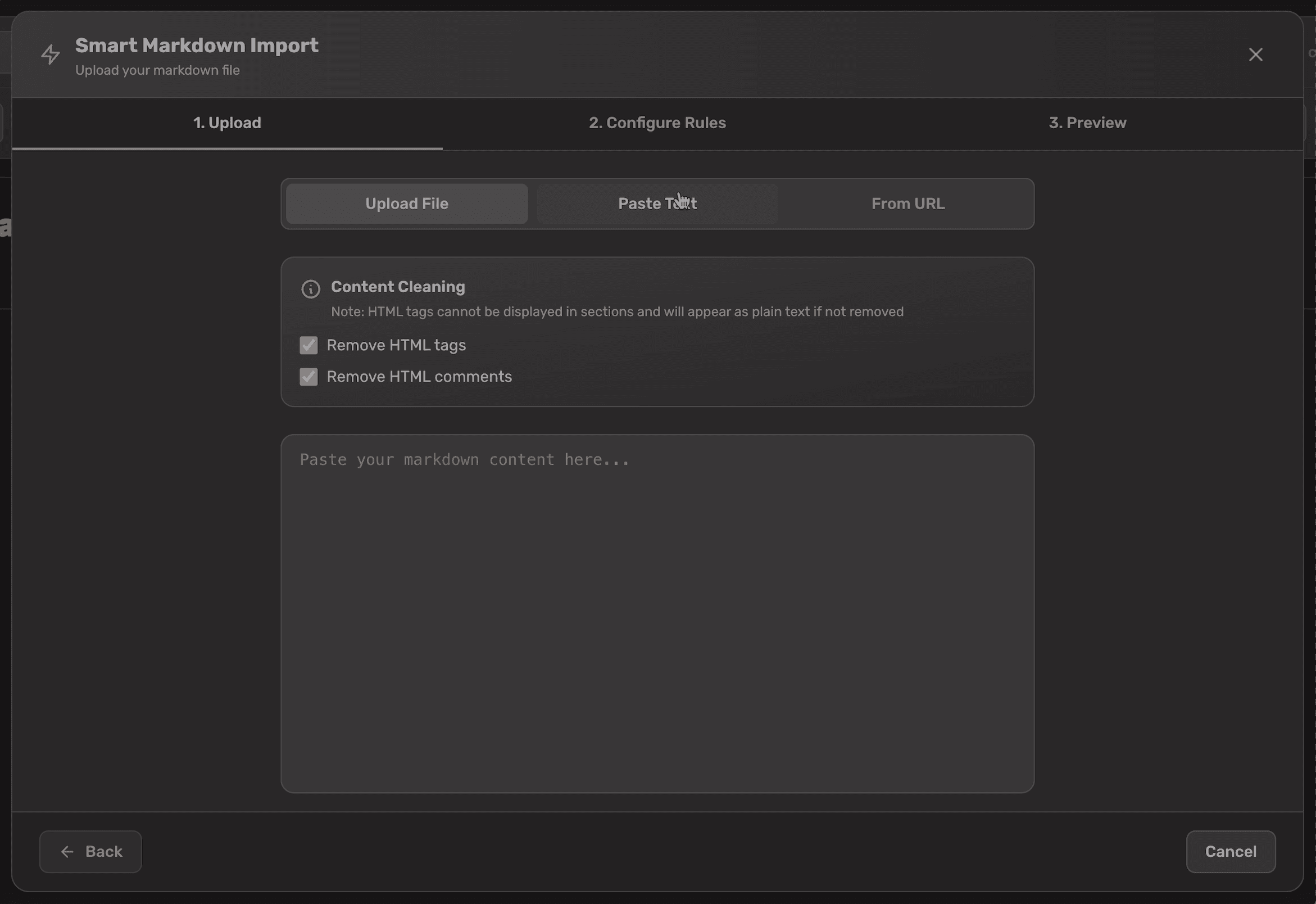
Step 1
Step 1 · Choose Source
Upload a Markdown file, paste raw text, or point to a public URL. We preview detected headings instantly.
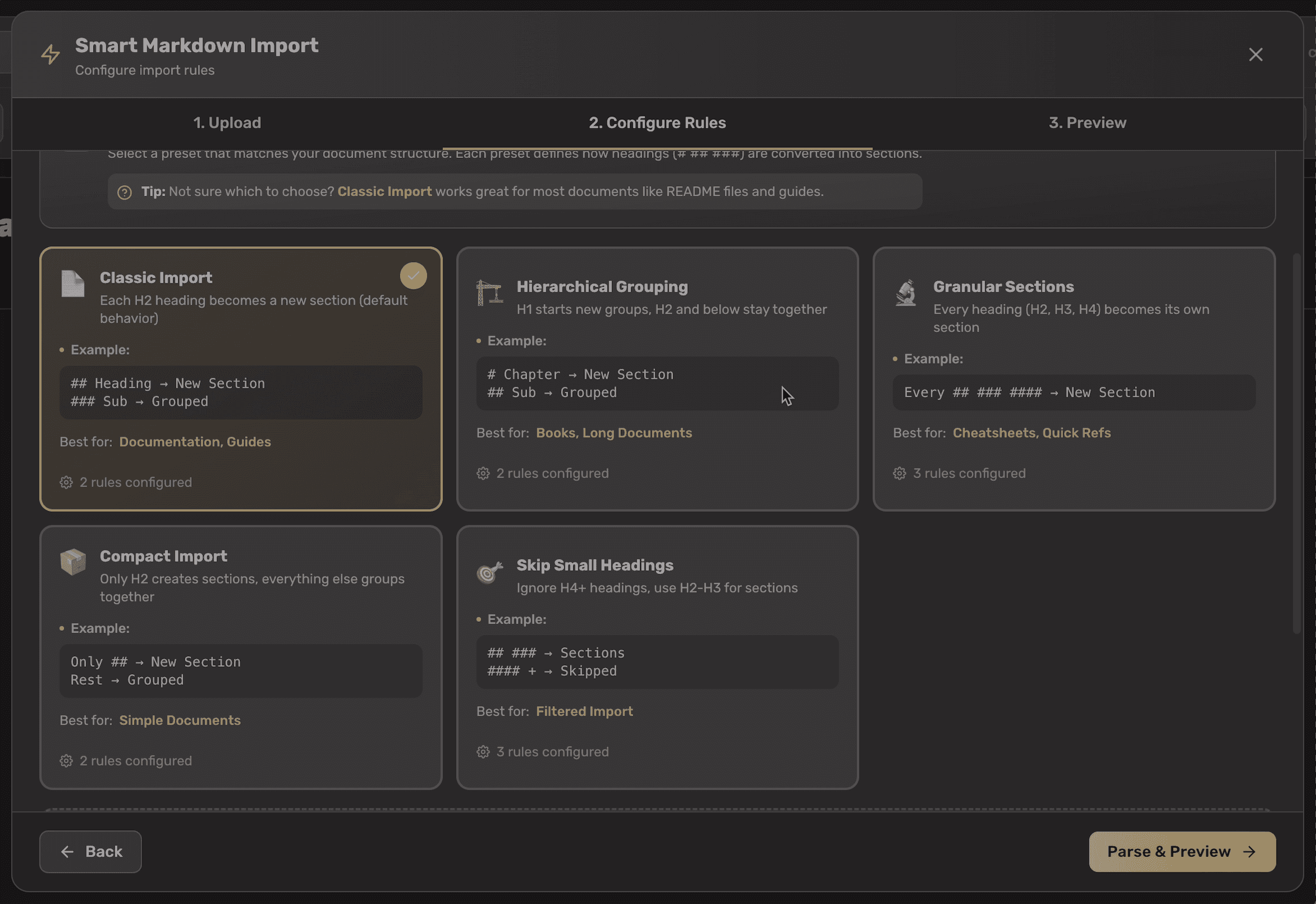
Step 2
Step 2 · Import Rules
Select Simple import for one-click sections or Advanced to map heading depth, callouts, and cleaning rules.
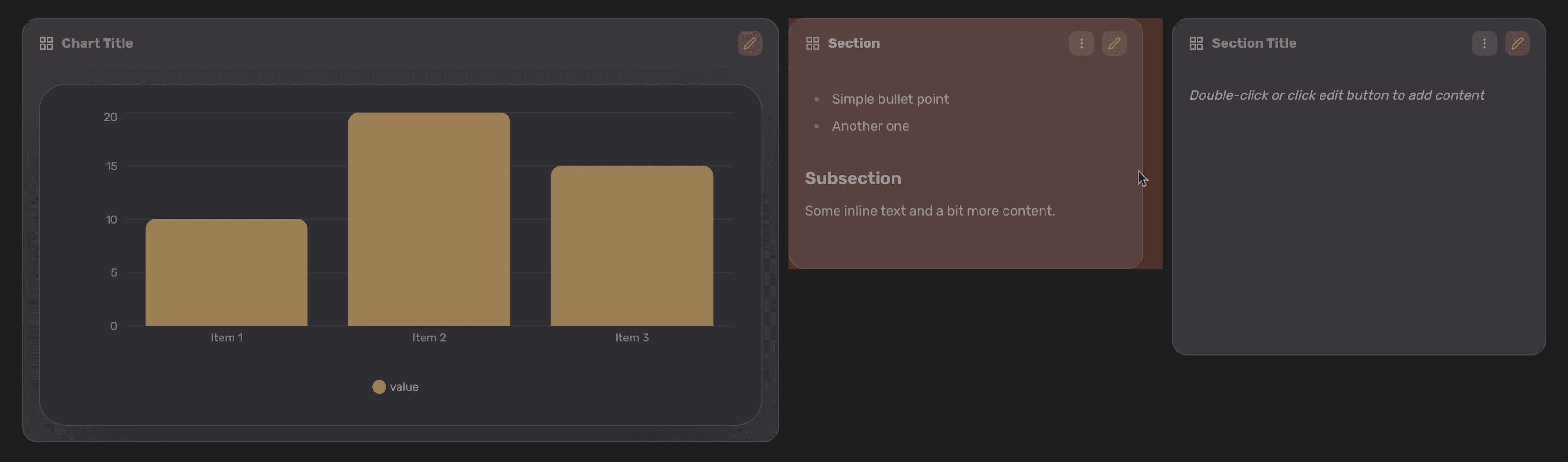
Drag, Resize, and Reflow
Feature demo
Layout controls
Scroll to load this preview
Arrange sections with grid-based drag-and-drop. Resize cards, snap them into balanced layouts, and duplicate or delete with a single click.
Smart layout calculations keep the grid tidy while still letting you overlap hero sections, tall math blocks, or wide charts.
Reader mode mirrors your layout, so whatever you see while editing is exactly what your end users experience.
Organize visually
Kanban boards for your projects.
Manage tasks, track progress, and collaborate with drag-and-drop Kanban boards. Perfect for organizing your workflow alongside your cheatsheets.
Drag & drop cards
Intuitive Kanban interface with smooth animations
Real-time sync
Auto-save ensures your boards are always up to date
Rich card content
Add markdown, code, and notes to each card
Field Notes
Built for clarity.
Designed for obsession.
Get the calm canvas your brain expects.
Every line you see below came from someone who built their first sheets the week we launched. Their words remind us to keep the UI steady, the writing experience fast, and the interface quiet enough to think.
Shreya Sharma
This looks so good! Congratulations on the launch
Technology Consultant at Mercer | Mettl
Bro this is the type of tool that helps you think better, not just store info
Simple idea, executed beautifully.
Honestly the UI screenshots on the site look so satisfying
Supporting systems.
Reliability features that protect your work.
Cloud auto-save
Never worry about data loss. The workspace saves changes every few seconds with conflict resolution.
Markdown export
Clean, linted markdown exports that mirror your layout with reference links preserved.
PDF export
2x resolution PDF rendering that keeps the drag-and-drop layout intact for printing or sharing.
Resizable sections
Every block can scale in both directions, so complex layouts remain easy to tune.
Chart types
Bar, line, pie, and area charts all available with palette presets and data tables.
KaTeX support
Display inline or block equations with KaTeX. Ideal for engineering and science cheatsheets.
Custom imports
Move legacy docs over using rule sets that you control, then save them for future imports.
One price. Everything included. Forever.
Buildsheet — lifetime license
Pay once to unlock the full drag-and-drop cheatsheet builder, markdown import/export, PDF rendering, KaTeX, charts, and cloud auto-save. Updates ship to everyone at no extra cost.
Loading products...
Who is this for?
Built for people who value clarity
Whether you're studying for finals, shipping code, or scaling a team, Buildsheet adapts to your workflow.
Students
Ace your examsCondense entire semesters into scannable reference sheets. Perfect for computer science, engineering, and math courses.
Developers
Ship fasterCreate API quick-reference guides, CLI cheatsheets, and framework summaries your whole team can access.
Consultants
Deliver polished assetsPackage your methodology, frameworks, and process maps into client-ready PDF exports.
Researchers
Organize findingsStructure literature reviews, experimental protocols, and citation databases with LaTeX support.
Team Leads
Onboard fasterBuild internal wikis, onboarding guides, and best-practice documents teams actually use.
Indie Hackers
Document everythingKeep your tech stack, launch checklists, and marketing playbooks in one organized space.
Frequently Asked Questions.